FREE LITTLE JOYS FOR WINDOWS
Meet HEIST.
A solo tactical heist game with four roles, original illustrated crew, planning choices, timed challenges, and persistent career progress.
Explore HEIST → Browse downloads ↓Free download · Windows


Duckies Desktop Toys
Your screen needed company.
Hand-pixelled originals that roam, glitch, and cause mild chaos across your desktop. Pets, toys, games, cursors, pranks. All free.
MORE COMPANY
Who's your desktop type?
 Timmy Turtle →
 Kal →
Kal →
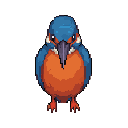 Kingfisher →
SOMETHING ELSE TO DISCOVER
Discover Desktop Ocean.
Turn your screen into a colourful living reef, with selectable fish, feeding, gentle currents and a transparent desktop mode.
Explore Desktop Ocean →
Latest from HQ
Fresh drops, hot off the desk.
If your browser or Windows shows a warning when you download or run one of these apps, that's expected for now. None of these are malware. Here's what's actually happening and how to handle it.
Why does Windows say "Windows protected your PC"?
Windows SmartScreen flags any app it doesn't already know about. Brand-new apps from a small publisher (that's me) start out as "unrecognized," and SmartScreen warns the user as a precaution. This is the same warning that has popped up on every legitimate small-developer app in Windows history — including, at one point, the early versions of major apps you use every day. The warning is about reputation, not detection of anything bad.
Why does Defender or my antivirus flag a download?
Most of these tools are built with PyInstaller, which packages a Python program into a single executable. The way PyInstaller bundles code resembles patterns also used by some malware (self-extracting executables, embedded interpreters), so heuristic AV scanners produce false positives on legitimate Python apps constantly. This is a well-known issue affecting hundreds of small developers, not just me. Every file on this site has been compiled from public source code that you're welcome to read on GitHub.
How do I install safely if I get a warning?
If you trust this site enough to be here, the safe path is: SmartScreen pops up → click "More info" → click "Run anyway." If Defender quarantines the file, you can restore it from Windows Security → Protection history. If you're not comfortable with either of those, please don't install — wait until the apps are properly code-signed (see below).
Are these apps going to be properly signed?
Yes. A Certum Open Source Code Signing certificate is on the way. Once it arrives, every app on this site will be re-released with a real digital signature, which dramatically reduces both Defender flags and SmartScreen warnings. After about 6–12 months of signed releases, Microsoft's reputation system stops warning users entirely. Any version downloaded after the signing transition will say "Open Source Developer" as the verified publisher.
How do I know nothing here is actually malicious?
Three ways. One: the source code for these apps is or will be public on GitHub — you can read every line yourself. Two: upload any file from this site to VirusTotal.com to scan it against 70+ antivirus engines simultaneously. False positives from one or two heuristic scanners are normal; widespread detection across multiple major engines would be a real signal. Three: none of these apps require admin rights, none install browser extensions or modify system settings, none phone home, and uninstalling any of them is a clean Add/Remove Programs operation.
Thanks for sticking with the project while the signing infrastructure gets set up. — Duckies Desktop Toys
What's New.
What the flock thinks.
✍ LEAVE A REVIEW
Got questions?
We've got answers.
After downloading, extract the zip and run the installer (.exe). Follow the setup wizard — it takes about 30 seconds. The toy will appear on your desktop and roam freely. No extra configuration needed. You can right-click the toy at any time for options like settings, about, and quit.
No. Each pet uses under 10MB of RAM and virtually zero CPU at idle. They're built to be as light as possible — we're talking lighter than a browser tab. You can run all 0 simultaneously without any noticeable impact on performance.
Yes. Every download is built and packaged by me personally — nothing is outsourced or auto-generated. The apps only interact with your screen's display layer; they don't read your files, your network traffic, or any personal data, and they collect no analytics of any kind. Because they come from a tiny, brand-new publisher, Windows may show an "unrecognized app" warning the first time you run one — that's a reputation flag, not a sign of anything harmful, and the notice at download walks you through it. Proper code signing, which removes the warning, is on the way. One rule: only ever download from this site — copies on other sites or mirrors could be repackaged with something malicious.
Windows 10 and 11. All downloads are Windows-only desktop applications. No Mac or Linux versions at this time.
Yes! Install as many as you want. Each pet runs independently. They will interact with each other if they overlap on screen — El Moco will taunt anything within reach, the Strike helicopter will strafe anything in its flight path, and the Potato will simply judge them all in silence. Running all 0 simultaneously is chaotic and we absolutely recommend it.
Open Add/Remove Programs (or Apps & Features) in Windows Settings, find the pet by name, and click Uninstall. Right-clicking the pet also gives a "Quit" option for temporary removal without uninstalling.
Genuinely free, forever. No catch. No ads, no in-app purchases, no subscriptions, no telemetry. We built this because we love desktop toys and think more people should have them. If you want to support the project the best thing you can do is tell someone about it.
Most fullscreen apps (games, video players) take exclusive control of the display layer, which prevents overlay applications from rendering on top. This is an OS limitation, not a bug. Your pet will return as soon as you exit fullscreen. Some pets have a "windowed overlay" mode in their settings that partially works around this.
Who's next?
Born from nostalgia.
Built with chaos.
Somewhere between 2005 and 2009, when MySpace ruled, ringtones cost three dollars, and YouTube was still figuring out what it was, I ran a little corner of the web called Duckies Desktop Toys. Free pets. Free cursors. Free pranks. Free anything I could squeeze into a download button.
It was glorious nonsense. Pixel critters that wandered your wallpaper, cursors that left rainbow trails, sound packs nobody asked for. The whole thing ran on caffeine, dial-up, and stubbornness. No ads. No subscriptions. No "premium tier." Just a guy and some sprites doing what the internet was supposed to be about.
Then life happened. The site went dark. I figured that was that.
Turns out nostalgia is a stubborn customer. So here we are: same name, same chaotic energy, brand-new pets, sharper pixels, and a website that doesn’t look like it was built in Microsoft FrontPage. Still free. Still forever. Still mine.
Every download on this site is a throwback to the lost art of weird free software — shareware bundled on magazine CDs, animated critters your cousin emailed you, hobbyist apps that absolutely should not have run on your beige tower but somehow did. The whole golden age of downloads-from-strangers-just-because. The kind of thing the modern internet completely forgot how to make.
We’re channeling that exact spirit — pixel toys built by one person, given away because that’s the point, with no app store gate, no email signup, no “try it free for 7 days.” Everything here boots cleanly on modern Windows, won’t set your machine on fire, and asks for nothing in return. Unhinged. Homemade. Yours.
More pets, toys, cursors, pranks, and apps are always in the works. Bookmark the site. Install the app. Yell about it. Bring a friend. Welcome back — or welcome, period. Either way, the potato is judging you.
Every download on this site is built, packaged, and released by me, right here. If you find a Duckies Desktop Toys download on any other website, repository, file-share, torrent site, or sketchy mirror — that is not from me. I have no idea what’s actually inside that file. It could be repackaged with malware, a trojan, a miner, ransomware, or anything else someone wanted to hitch a ride on a free download.
Bottom line: if it didn’t come from duckiesdesktoptoys.com, you’re rolling the dice on your machine. Stay safe. Stay here. The downloads are free, so there’s no reason to grab them anywhere else.
Send us a message.
WE WANT TO HEAR FROM YOU
Have a question, found a bug, or just want to say hello? Choose a topic and send us a message. If you would like a reply, please include your email address in your message.